

Description
Download Strongbox Password Safe – free secure password manager
Why Strongbox Password Safe is the Password Manager You’ve Been Waiting For
In a world where every online service asks for a new credential, keeping track of dozens—or even hundreds—of passwords can feel like a full‑time job. Strongbox Password Safe steps in as a single, free, and secure vault that eliminates the mental clutter and the risk of forgotten logins. Built around a master password, Strongbox encrypts every entry locally, meaning your secrets never leave your device unless you explicitly share them via iCloud. The app’s clean, native interface works seamlessly on iPhone, iPad, Mac, Windows PCs, Android phones, and even Linux through a web wrapper, giving you the flexibility to retrieve a password wherever you are. Because it’s free, there’s no hidden subscription fee or premium tier that forces you into a paid upgrade; you get all core features out of the box, from unlimited password storage to automatic sync across Apple devices. Strongbox also supports two‑factor authentication (2FA) for the master password, adding an extra layer of protection for those who demand the highest security standards. Whether you’re a casual internet user, a remote worker handling corporate credentials, or a developer juggling API keys, Strongbox provides a trustworthy, user‑friendly hub for every type of secret.
Key Features That Make Strongbox Stand Out
- Unlimited password storage – No artificial caps on the number of entries.
- End‑to‑end encryption – All data is encrypted with AES‑256 before it leaves your device.
- iCloud sync – Keep your vault updated across all Apple devices automatically.
- Cross‑platform support – Native apps for iOS, iPadOS, macOS, Windows, Android, and a web version.
- Master password protection – One strong password unlocks the entire vault.
- Two‑factor authentication for the master password – Adds an extra security barrier.
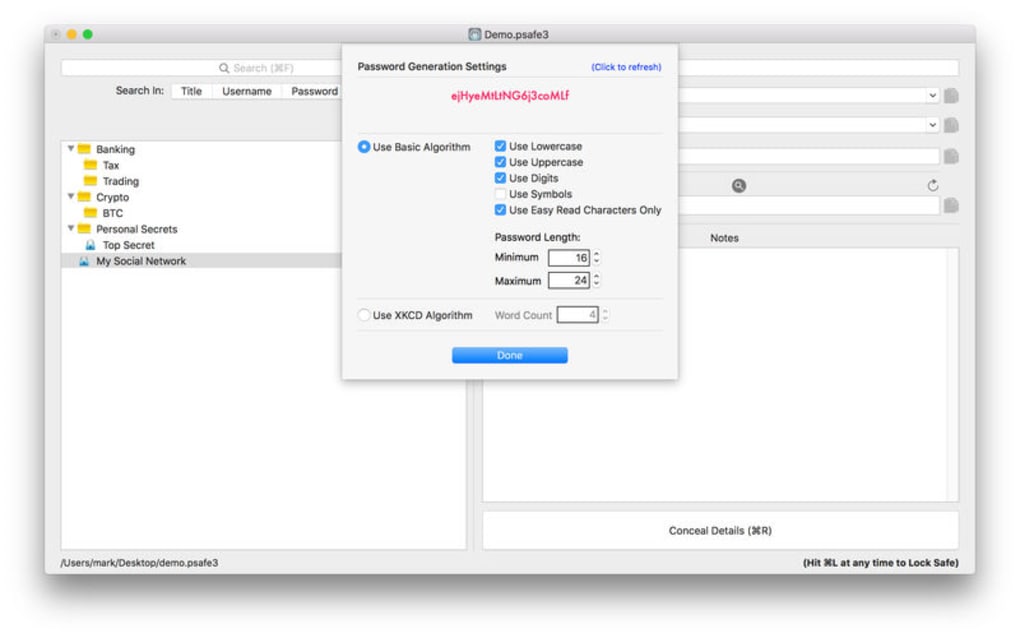
- Secure password generator – Create complex passwords with custom length and character sets.
- Auto‑fill integration – Works with Safari, Chrome, and Firefox extensions for effortless login.
- Offline access – Your vault is always available, even without an internet connection.
- Export & import options – Move data safely between devices or backup to a CSV file.
Pros
- Completely free with no hidden fees.
- Strong encryption ensures data stays private.
- Native iCloud sync eliminates the need for third‑party cloud services.
- Intuitive UI that works well on both mobile and desktop.
- Supports 2FA for the master password, raising security without hassle.
Cons
- iCloud sync is limited to Apple ecosystem; Windows users must rely on manual export/import.
- No built‑in password breach monitoring (you need a separate service for that).
- Advanced enterprise features such as role‑based access are unavailable.
How to Install, Set Up, and Use Strongbox on All Major Platforms
Step‑by‑step installation guide:
- iOS / iPadOS: Open the App Store, search for “Strongbox Password Safe,” tap “Get,” and wait for the download to finish. The app will appear on your home screen.
- macOS: Visit the Mac App Store, locate Strongbox, and click “Install.” After installation, launch the app from the Applications folder.
- Windows: Download the installer from the official Strongbox website (https://strongboxsafe.com/download). Run the .exe file and follow the on‑screen wizard.
- Android: Open Google Play, search “Strongbox Password Safe,” and tap “Install.”
- Web version (optional): Navigate to https://app.strongboxsafe.com in any modern browser and sign in with your Apple ID to access synced data.
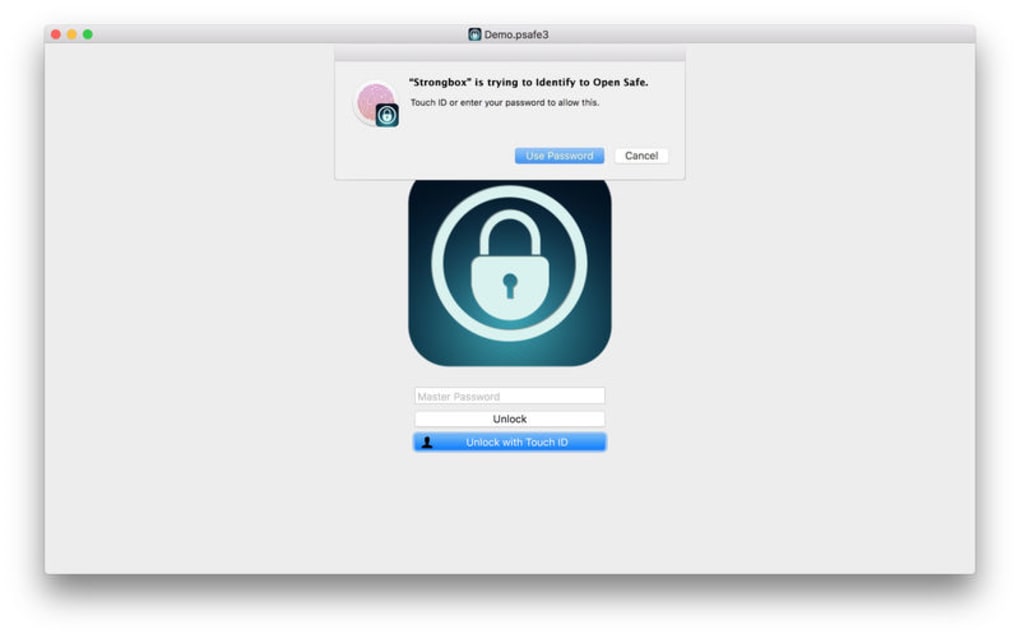
First‑time setup: Upon launching, you’ll be prompted to create a master password. Choose a phrase that is long, random, and memorable—ideally a passphrase composed of several unrelated words. The app will immediately generate a 256‑bit encryption key derived from this master password. Enable two‑factor authentication by scanning the QR code with an authenticator app such as Authy or Google Authenticator.
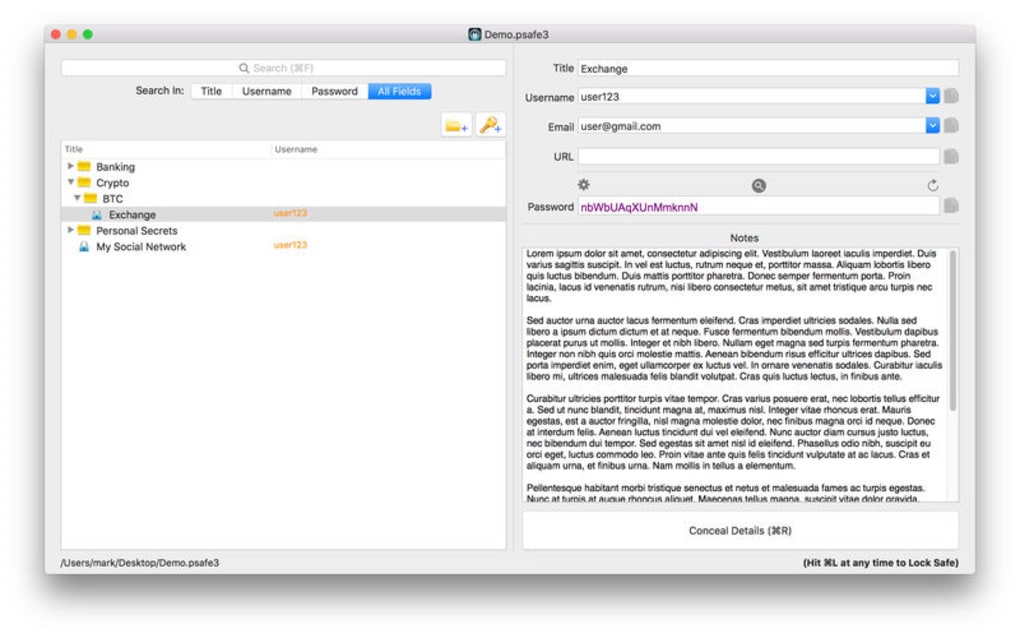
Adding entries: Click the “+” button, select the type of entry (login, credit card, secure note), and fill in the required fields. Strongbox’s built‑in password generator can be invoked by clicking the dice icon, allowing you to specify length and character sets. Once saved, the entry is encrypted locally and, if iCloud is enabled, synchronized across your Apple devices.
Using auto‑fill: Install the companion browser extension from the Strongbox website. After granting permission, the extension will detect login fields and suggest the appropriate credential from your vault. A single tap or click fills in the username and password, reducing keystroke fatigue and minimizing phishing risk.
Frequently Asked Questions & Final Thoughts
Is Strongbox truly free or are there hidden charges?
Strongbox is completely free for personal use. There are no subscription fees, in‑app purchases, or premium tiers that lock essential features. All core functionalities—including unlimited passwords, iCloud sync, and 2FA—are available without charge.
How secure is the data stored in Strongbox?
Data is encrypted locally with AES‑256 before it ever leaves your device. The master password is never stored or transmitted, and the encryption key is derived from that password using PBKDF2 with a high iteration count. When iCloud sync is enabled, only encrypted blobs are uploaded, so even Apple cannot read your vault contents.
Can I share a password with family members?
Yes. Strongbox supports iCloud sharing, allowing you to grant read‑only or edit access to specific vault entries for other Apple ID users. This feature is ideal for families or small teams that need shared credentials while preserving individual master passwords.
What happens if I forget my master password?
Because the master password is never stored, Strongbox cannot recover it for you. If you forget it, the only option is to reset the vault, which will erase all stored data. This underscores the importance of choosing a memorable yet strong passphrase and backing it up securely (e.g., in a physical notebook).
Does Strongbox work on Linux?
There is no native Linux client, but the web version runs smoothly in any modern Linux browser. You can also use an Android emulator or a third‑party wrapper like Electron to run the desktop version on Linux.
Strongbox Password Safe delivers on its promise of a free, secure, and user‑friendly password manager. The combination of native encryption, seamless iCloud sync, and a polished UI makes it a top choice for individuals who prefer a no‑frills solution. While Windows users miss automatic cloud sync, the manual export/import workflow is straightforward. Overall, Strongbox earns high marks for privacy, ease of use, and cross‑device accessibility.
Rating: 4.5/5
Conclusion – Should You Download Strongbox Today?
If you’ve been juggling passwords across sticky notes, browsers, and insecure spreadsheets, Strongbox offers a clean, free, and highly secure alternative. Its robust encryption, master‑password architecture, and optional iCloud sharing give you confidence that your credentials stay private while remaining instantly accessible on any device you own. The only real drawback is the lack of native Windows cloud sync, but for most personal users this limitation is outweighed by the app’s zero‑cost model and strong privacy stance. Ready to simplify your digital life? Download Strongbox Password Safe now and experience a password‑free future.
Guides & Tutorials for Strongbox Password Safe
How to install Strongbox Password Safe
- Click the Preview / Download button above.
- Once redirected, accept the terms and click Install.
- Wait for the Strongbox Password Safe download to finish on your device.
How to use Strongbox Password Safe
This software is primarily used for its core features described above. Open the app after installation to explore its capabilities.
User Reviews for Strongbox Password Safe 0
No reviews found





.webp)